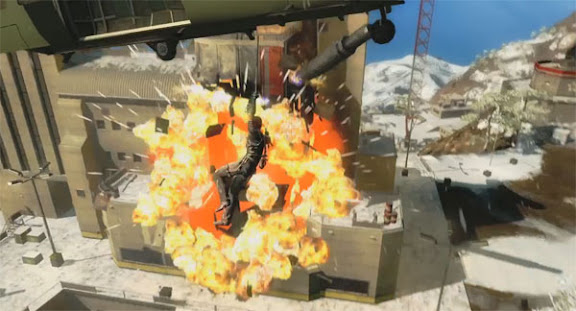
Image of the day – 9th September 2009

I’d normally be tempted to keep these gaming related in some way but.. well.. can you blame me?
I’d normally be tempted to keep these gaming related in some way but.. well.. can you blame me?
Amongst other movies, I saw District 9 recently and really really enjoyed it. It was nice to see this sort of movie not be centered around America or Americans for a change and it added an air of legitimacy to the documentary style delivery at the start of the film. It’s an interesting film that, rather obviously, serves as an allegory for racism and apartheid. What I particularly liked about the film was the way it had you change your feelings about the characters in it. Wikus, the central character, is initially presented as a bit of a nerdy scapegoat, later on he’s an uncaring jobsworth. Fate intervenes and we see compassionate and courageous sides of his personality come to the fore. Similiarly, the audience’s feelings towards the alien race are also likely to change over the film’s running time.
And, for those of us not wanting to get too cerebral, District 9 most certainly delivers some thumping good action and spectacle with an identity all of its own.
So, there’s questions being fired across the internet regarding its portrayal of race and even if the film itself is racist. To the latter, I’d side with those saying that depictions of racism are not the same as acts of racism.
A blog post on movie-site Empire poses a rather different question:
With low budget, highly acclaimed sci-fi movies such as 2009’s Moon and District 9 ($8m and $30m respectively) making such a resounding impact are massive-budgets really necessary for a solid sci-fi flick?
It’s a good question – particularly if you’ve seen both those sci-fi movies and enjoyed them.
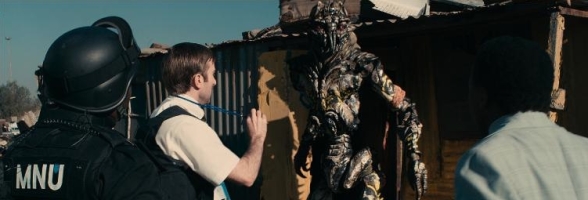
For me, 2009’s summer blockbusters were all quite unsatisfying. My most anticipated movie was Watchmen and that was released in March and I’d like to think I had realistic expectations of it. Since then, the big names haven’t really entertained as much as they promised. I came away from District 9 and Moon feeling great. By contrast, Terminator Salvation and Transformers 2 were very ho-hum affairs. I’m very wary of my own sense of expectation when seeing (or playing) something as this has such an important bearing on how satisfying I find the item in question to be. I kept expectation levels for Watchmen reigned in (not for lack of faith in the movie, but because I enjoy the original material so much and have heard how impossible it was meant to be to consider taking it to the big screen). With that said, I wasn’t particularly hyped about Terminator or Transformers so the feeling of being let down can’t be attribtuted to my own expectations.
Moon isn’t presented as a sci-fi spectacle so a huge effects budget is understandably absent (though there’s some deft work in there and what’s on screen works as intended). District 9 on the other hand boldy has CG aliens throughout and a considerable amount of bombastic action to be witnessed and enjoyed.
Mega-budgets don’t necessarily equate to an entertaining film. Some huge budget movies are notorious flops whilst others are record-breaking successes. I’m thinking of Waterworld and Titanic here.
The latter is now Hollywood legend and has earned its maker, James Cameron, a licence to do his opus project. A dream, mega-budget, sci-fi, effects-laden spectacular. Whether it’s more Terminator (oh, the irony) or District 9 is something we’ll find out when it opens at the end of the year.
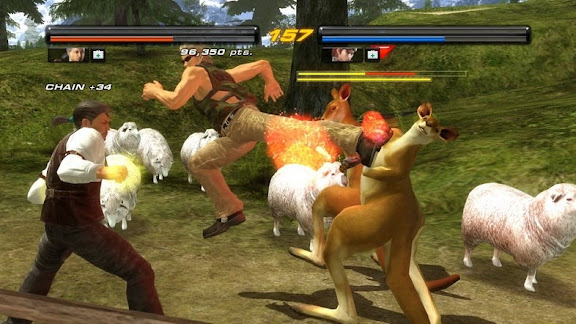
I have no idea what noise a kangaroo makes when being assaulted by a roundhouse kick. 🙁
Truth be told, I beat this some time ago – shortly after the excellent Dead Space. There’s a lot to be said for playing a game outside of its release window and after the whole zeitgeist effect has worn off.
Let’s cut to the chase. If I were the sort of person to rate a game out of ten, I’d give Fable 2 a polite six and leave things at that. I found the experience entirely underwhelming and almost completely free of challenge. The end result being a fairly anemic gameplay affair which all the meta-gaming garnish doesn’t really fatten up. It feels like a poorly scripted and entirely predictable BBC Christmas Day 1-hour special that nobody would give the time of day except it happens to feature a bunch of evergreen luvvies all hamming it up and overracting for the sheer indulgent joy of it.
Humbug!
Fable 2 seems, to me, to suffer an indentity crisis. It doesn’t know if it wants to be an action game, an RPG or a virtual pet simulator. It hopes to blend all three and stun us with its daring but it just ends up being a bit confused and weak. To distract us from this, the game literally swamps us with meta-games and presentational fluff. Going by most people’s reception to this title, its a tactic that appears to have paid off.
Fable 2, like its predecessor, boldy asserts that every action has a consequence that resonates throughout the world and its inhabitants. Yeah, ok. The question is: “Do I give a shit what manufactured cyber-nobodies think of my virtual conduct?”. Well, I only really care if it affects meaningful gameplay. Let’s compare and contrast:
Of those two consequences, I know which means more to me in the context of why I play videogames.
I don’t do Facebook or any of those other internet popularity contests. I really don’t care for what most people think of me – because most people don’t actually know me. I don’t care for trends. I don’t care for projecting an image. I’m not an attention whore. I don’t need validation for my actions or opinions.
So, in my case, I really don’t want to play dolly-dress up. I don’t need to become the most popular virtual entity in a virtual town in a virtual world. I don’t care whether my dog likes me that much unless it affects his ability to find me treasure (which has some meaningful purpose to my in-game endeavours. Usually fiscal). I don’t care if I have scars or tattoos on my virtual body – it doesn’t look anything like me at all anyway! I don’t care if I’m married or own a house within which to live and raise a family.
And if I did care about much of that stuff I’d have bought The Sims years ago instead.
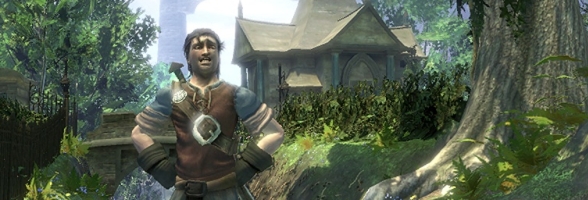
Money. Root of all evil it may be, but a necessary evil nonetheless. You find money deposited as treasure or, as part of the thrilling experience that is Fable 2, you can get a job. Jobs in Fable 2 are dull, repetitive, unforgiving, yield little income and use up your time that you would typically prefer to spend playing exciting videogames instead. You have to earn money in Grand Theft Auto – but in that game it’s daring and exciting. In Fable 2, you can pull pints, chop wood or smelt swords. Each job is a micro game. Micro games, if you recall, was a term used to describe the sort of 3-second wonders that filled the Wario games on Nintendo platforms. Typically single-button-press affairs that required you to tap the button to perform a very simple, obvious task – like catching a stick. Fable 2 takes this accessible, shallow micro-game concept and stretches over a period of hours. Each profession sees you monitoring a little bar with a highlighted zone within it. A marker moves back and forth in the bar and it is the player’s job to press the action button when the marker is in the highlighted zone. Success means a perfectly pulled pint or a well-chopped block of wood. The process is made more labourious because we’ve wrapped up this 1-bit concept in 128-bit graphics, sound and animation. So each interaction is part of a 3-5 second animation. Not that you’re watching that of course, you’re watching a little graphic with a marker bobbing back and forth in it. Successful actions earn you money. Very little money at first. But after you’ve earned a set amount of money the game decides you’re more skilled and therefore entitled to a higher wage. The marker ping-pongs a little faster and the highlighted area becomes a little less predictable to hit and you can continue in your job, earning a little more cash and wondering when you’ll get promoted again so you can keep pushing the A button to earn more cash.
On one level it’s fucking atrocious. On another, it’s a profound commentary on the mundanity of service-level labour. You’ll have ample time to reflect on all of that as your mind will certainly not be captivated by the work you’re doing.
But, hey, money! And with money you can buy stuff. A lot of the stuff is just bullshit meta-game crap. Costume items, furniture for your house and so on. You can, of course, also buy weapons and items to heal yourself. Items that offer more permanent effects such as books that allow you to teach your dog to be a more effective treasure hunter can also be purchased. Should you care, you can also acquire books that make you more proficient at making silly gestures. I file that under meaningless meta-bollocks.
Thankfully, you can give up manual labour after only a few monotonous hours by investing in some property. Nearly every building can be bought in Fable 2. Buying a house will allow you to either live in it (kind of pointless really), raise a family (mostly meaningless) or rent it out to earn income from it (That’s a BINGO!). My advice: buy a pub as soon as possible. It’s pricey but it’ll net some reasonable income whilst you’re out killing giant rats. Needless to say once you’ve mastered cashflow, the game unravels pretty quickly.
Combat is separated into three disciplines: melee, ranged and magic. Swords, guns or spells. It allows for action-based combat with a degree of strategy – allowing you to weaken your opponents from afar or debilitate them with a spell before going in for a kill. The spoils from a battle take the form of orbs that you collect. Orbs come in four colours – three of which represent experience added to a partciular type of combat discipline whilst the fourth is ‘general’ and tops up any experience points you have in your pool. You later spend experience you’ve earned to unlock skills in each discipline such as the ability to counter a blocked melee attack, target a specific part of the body with your ranged weapon or learn a totally new magical spell.
That’s about as deep as combat gets. If you wish, you can focus on one discipline and play the game as a button-mashing action game or a third-person shooter. It’s not particularly memorable as any of those things because it’s pretty average in each area. Maybe average is too unfair a term. Perhaps adequate suits it better. It does the job but it doesn’t do it in a manner that leaves a positive lasting impression. I believe the popular internet expression to do it justice would be ‘meh’.
I’m hungry. Let’s use a food-related metaphor again. So, the main substance of the meal is a bland affair and it has far too many of that particular vegetable that you’re especially not fond of. However, there’s an awful lot of gravy and garnish along with a wide variety of condiments that you can take or leave. Apparently, the chef is quite reknown but, as you start this meal, you know it’s not going to fill you up and no amount of frilly garnish is going to compensate for what is an ultimately unsatisfying dish. You’ll probably go for a greasey kebab on the way home and enjoy its unsophisticated but functional charms a lot more.
(Please now imagine your Fable 2 character performing a belch expression as a fitting end to this commentary).
I actually have many more points to raise regarding Fable 2 but I think you get the gist of my views of the game without me substantiating them further.
I love a good tracking shot in a movie. I guess it’s a degree of smugness where I felt I’ve identified something that’s cleverly constructed even though it’s not made really obvious to the audience that it’s clever stuff. Rather like the opposite of a grandiose special effect which is a sort of “Hey! Look at me guys!!” banner-waving bit of film-making designed to impress the audience.
Scuffling around the internet I spotted this promotional film, designed for the web, for a Philips 21:9 ratio ‘true cinema’ TV range. The version below has no audio and is worth watching more than once for reasons you’ll appreciate when you get to the very end of the tracking shot.
If you like this, then I’d encourage you to head over to the Philips website where there’s audio and also some very nice ‘time-outs’ you can activiate during the playback where the action stops and a member of the production crew gives some commentary/acts over the particular frame and details its construction.
And, if that’s not enough, there’s a short YouTube behind-the-scenes commentary with more down-to-earth details on the production process of this short film.
Enjoy.
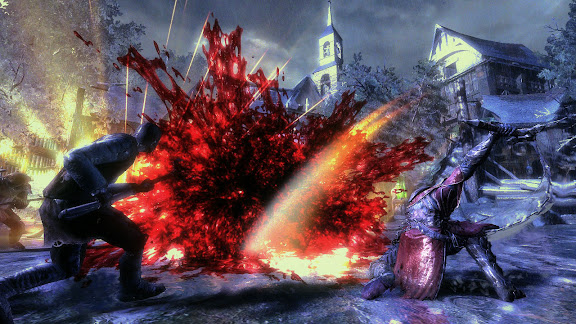
Bloody hell!
You know, watching this video makes me quite interested in trying them out for some reason. They certainly seem a jolly bunch of folks..
..then don’t dish it out!
It’s been observed on more than one instance that cats are sociable creatures for the sole reason that it’s impossible to ignore someone if they’re not there. Cats often seem to delight in making their presence felt and then acting with apathy and indifference to those attracted to them.
Best tactic to show a cat up? Give it a taste of its own medicine!
I’d had my eye on Dead Space since it first got announced. It looked superb even though Survival Horror isn’t a genre I really go for. Some of that is to do with the Resident Evil series being the flagship title in such a genre and my utter dismay at the array of broken mechanics and archaic design principles that litter that franchise.
Having played Dead Space through to completion I have to say it’s one of those rare games that exceeded my expectations. As such, it instantly goes onto a pretty short list of games I can whole-heartedly recommend. To me, Dead Space is the the pinnacle of the Survival Horror genre and EA, a company that recieves a lot of criticism, deserve enormous praise for their efforts.
Firstly, the setting is great! Zombies in space. Why didn’t anyone think of that before? (Dino Crisis 3 doesn’t count, ok?) You get all the joy of videogame zombies and the jumps and groans they offer PLUS! extra game mechanics like zero gravity, space-age weapons, sci-fi technology, airlocks and more. It’s a great setting and Dead Space makes the most of it. There are just as many ‘space’ themed events and challenges driving the game forward as there are ‘monster’ ones which not only adds a degree of variety in the challenges you face as a player but, because they’re so well put together, each complements the other and, in the context of the game, the overall experience of both aspects are elevated.
The graphics are uniformally superb with each deck given its own theme (medical, engineering, hydroponics etc). A variety of lighting tricks add enormous atmosphere to the game. Special mention goes to the stunning rendering of the player’s character Isaac, he moves with purpose and believability. I’ve rarely been so convinced of a living player character as I have of Isaac in Dead Space. It just works.
And a game like Dead Space lives or dies on its sense of atmosphere and how well it draws the player into the world it creates. Thanks to the excellent lighting, believable animation and nuances of Isaac and the astonishing sound design, the game excells when it comes to atmosphere. I’ve got some 5.1 surround headphones but, frankly, I didn’t have the balls to wear them whilst playing Dead Space!
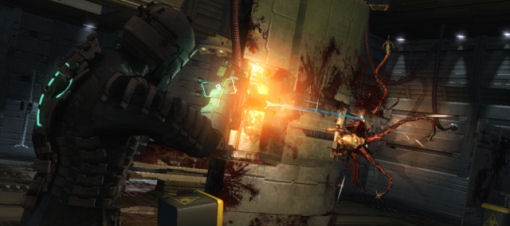
Another hugely impressive part of Dead Space is in its user interface – or lack of one. Atmosphere can often be broken by hitting PAUSE and going around some menu items or glancing at a map. Dead Space offers you these features but presents them as a holographic interface directly in front of Isaac in the game. In fact, as you move around your inventory Isaac’s head follows the highlighted area. Whilst navigating this interface the player can still use the second analogue stick to move the camera freely around and, in doing so, you can see the holographic interface from different angles – including reverse angle – and see that whilst it looks flat from the front view, it’s actually a layered interface with different depths. All the time, however, you are kept inside the game world, the suspension of disbelief is not threatened by the need to review your inventory as it might be in most games. Even the player’s ammo and health are depicted as parts of the weapon and armour respectively. All the information is clear and available to the player but it never takes them out of the game world. To me, this is one of the most brilliantly designed aspects of the game and something that works to perfection. Interface design is hugely important in all areas of software, games have extra considerations (such as maximum resolution, having to keep areas of the screen clear and so on) and I think Dead Space’s execution is well worth studying. If you’ve played the game and never really noticed the interface then that tells you how good it is!
Aside from a handful of times at the start and end of the game, there’s barely any cut-scenes either. Nearly all communication in the game is handled in audio or through a holographic video playing out in front of Isaac. Again, because this is in keeping with being kept inside the game world it means that Isaac can still march forwards or open doors and shoot zombies without the game’s narrative insisting that he stand still and listen. Once again, it’s another example of how the sci-fi setting is exploited in the game design to allow the player more freedom to get on and play the game. In fact, this audio delivery is used to startle the player sometimes as your radio might crackle into life with loud static at a most unexpected moment. Everything, it seems, is designed to heighten the game experience.
My only criticism with the game is that, by the time you’re into the second half of it you might anticipate some of the tricks used to manipulate your feelings. Interesting objects are frequently put at the end of long corridors and, as you walk down the corridor focused on the object something will jump out at you from one side. Classic misdirection but it becomes a little familiar. As does the device of having you walk into a room with only one exit in order to obtain a key item and seeing the exit lock behind you trapping you inside as zombies start to spill out of innocent looking hatches and vents.
To compensate, the game has more than enough moments of unexpected thrills and daring (such as realising you’ll need to walk on the exterior of the ship or might choose to indulge in some zero-g basket-ball) that are far more memorable than getting jumped on by a zombie.
Dead Space is a cracker of a game and easily one of my favourite in the last 12 months. It’s Wii counterpart is also shaping up to be something very promising indeed. The studio that produced Dead Space are hard at work on Dante’s Inferno – said to be a God of War style game. I can’t wait!